Creating a Login.gov Account
If you do not already have one, you will need to create a Login.gov account. Creating this secure, authenticated account requires several steps, so we encourage you to begin the process early. After the account is created with your personal email, you will connect a work email. However, at no point should you remove your personal email or delete your existing account.
- Click "Sign in" on the citap.gov homepage.
-
Select the tile for Login.gov from OneID landing page.
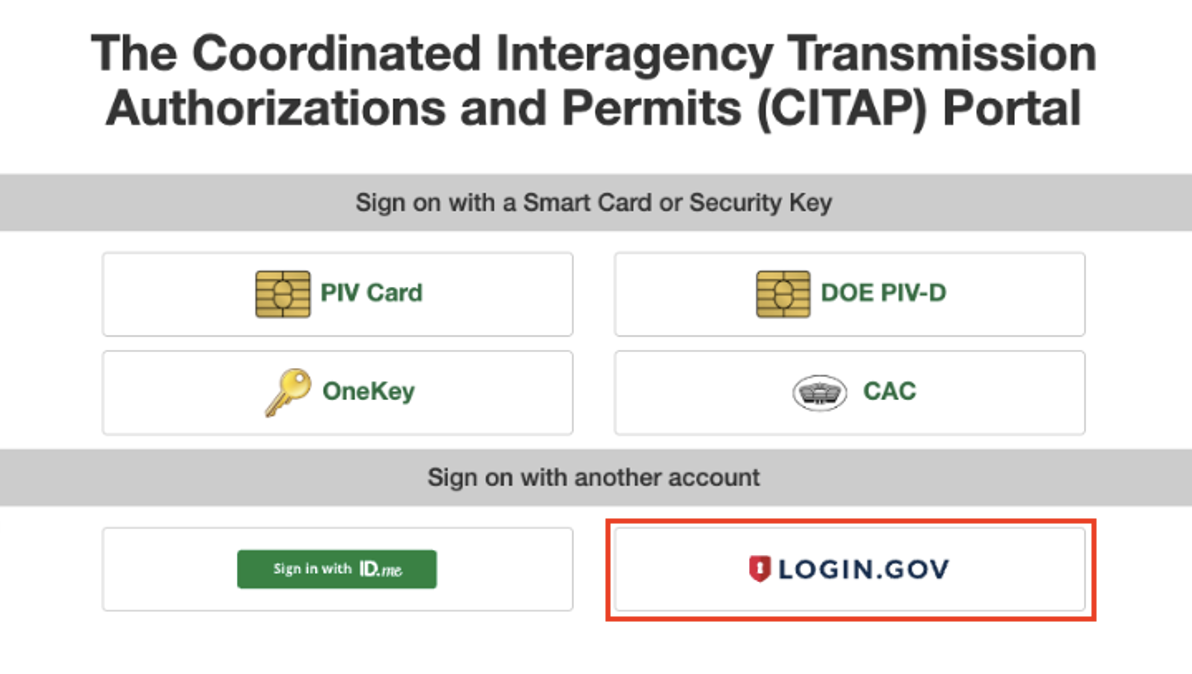
- Choose “Create an account.”

- Enter your personal email. You will add your work email later, but it is a requirement of Login.gov to start with a personal email because this platform is used in many government websites.
- The process to verify your identity includes entering personal information and even uploading a picture of your driver’s license. It takes several minutes to get verified. (See additional instructions from Login.gov for support on this step.)
- Next you will need to link your Login.gov account to CITAP. Go to article.
Troubleshooting Login.gov:
At any point during the sign up process with Login.gov, if you experience an error the quickest way to get support is through https://www.login.gov/contact/.
I already have a login.gov account associated with my personal email address.
That's great! You just need to add your work email and connect it to CITAP. View this article to link your Login.gov account to the CITAP portal.
Login.gov is a safe way to sign into many U.S. government websites using just one account. You may have created an account for the IRS, USAJobs, or another government website. Each individual may only have one account because the service proves your identity.