Connecting Login.gov to CITAP
Sign In for Existing Users
If you already have a login.gov account, your next step will be to add your work email (or whichever email you wish to get CITAP related notifications to) and connect it to the CITAP portal.
Note: Do not remove your personal email from Login.gov, as it is intrinsically connected to you as a person not you as an employee.
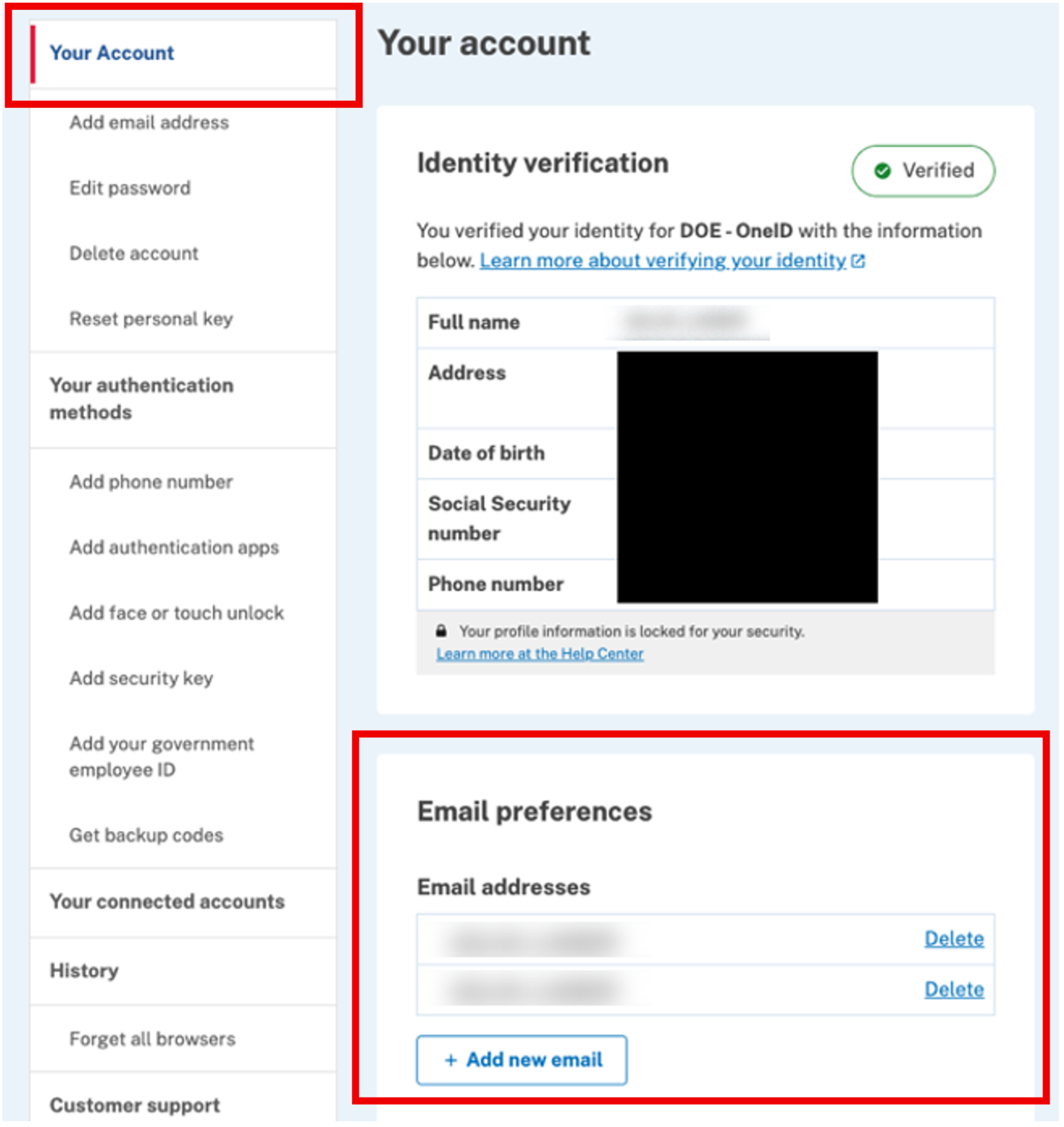
- From the Login.gov portal, go to the “Your Account” page. If you have already verified your work email in Login.gov, skip to the "Link Login.gov to OneID" section below.
- Scroll to the "Email preferences" section and add a new email. (Note that your personal email will always be the primary email tied to Login.gov, so do not delete your personal email.)
- Follow the prompts to verify your email. (Check your work email inbox for verification prompt.)
Link Login.gov to OneID
- Once your work email is verified, return to the “Your Account” menu and choose “Your connected accounts.”
- Look for a connected account labeled “DOE - OneID.” If this connection does not exist under your list of accounts, proceed to the next section, "Sign In to the CITAP Portal with Login.gov."
- Under “DOE - OneID,” click “Connect” or “Change.” When asked to choose a preferred email, select your work email. (See additional instructions from Login.gov)

Sign In to the CITAP Portal with Login.gov
- Navigate to https://citap.gov/.
- Click the “Sign In” button in the upper right corner.
- In the disclosure screen click the button “I Agree, Please Continue.”
- Select the Login.gov tile.

- Choose “Sign In” and enter your work email and your Login.gov password.

- If this is your first time signing in, the OneID portal will prompt you to “Connect your verified info to DOE - OneID.” You will confirm the work email being used. If you do not see your work email listed, select “Change” under "Email address." Once the email address is correct, select “Agree and continue.”

- Upon your first time logging in, OneID may prompt you to verify additional identifying information. That will not be required each time you sign in.
Troubleshooting Login.gov:
At any point during the sign up process with Login.gov, if you experience an error, the quickest way to get support is through https://www.login.gov/contact/.