Reviewing Resource Reports
The resource report review process requires that the designated secondary reviewer:
- Locate and download the correct Resource Report document
- Download the Comment Capture Spreadsheet for the corresponding resource report
- Add comments to the Comment Capture Spreadsheet
- Upload the Comment Capture Spreadsheet, which will only be visible to primary reviewers at DOE.
Step 1: Locate the Correct Resource Report
-
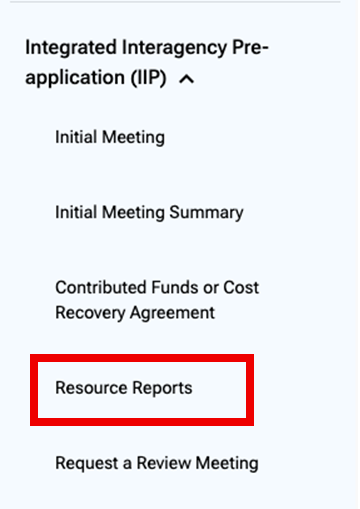
Use the left navigation menu to locate the Integrated Interagency Pre-application (IIP) section and select the Resource Reports page.
Resource Report Versions: Please note that resource reports are uploaded and reviewed multiple times. Be sure to verify you are at the correct step in the IIP workflow. If you are unsure, contact the primary reviewer. All versions of documents will be maintained in the project record, so be sure to grab the latest version unless otherwise directed by the primary reviewer.
-
Scroll down to the "Required Files" section and find the resource report upon which you would like to comment.
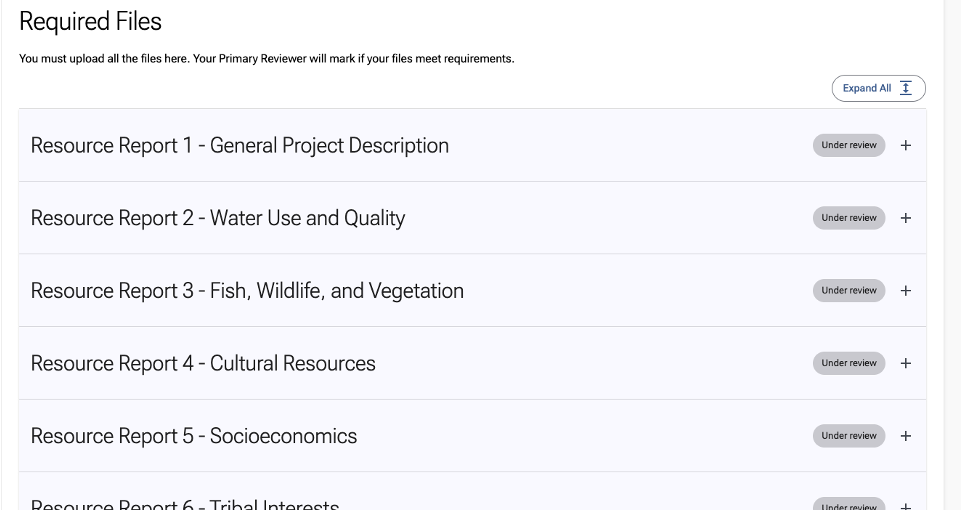
- Download the latest version of the resource report provided by the project proponent.
Troubleshooting Downloads
- Be sure your browser settings allow for pop-ups. This may be blocking the download.
- Large files may take a while to download. If you're not seeing the file, you may need to wait a few moments depending on your internet bandwidth.
- If you're connected to a VPN, try temporarily disconnecting it, as it may be preventing the download.
Step 2: Download the Comment Capture Spreadsheet
- Expand the accordion for the desired resource report and find an Excel document called [ResourceReport_Name]_Comments.xlsx in the attachments table. This is the Comment Capture Spreadsheet.

2. Clicking on the blue underlined text will download the Comment Capture Spreadsheet directly via your browser.

Step 3: Add Comments to the Comment Capture Spreadsheet
Open the Comment Capture Spreadsheet and follow the instructions listed in the document to complete your comments submission.

Step 4: Upload Comment Capture Spreadsheet
- Return to the specific resource report you are reviewing
- Upload your completed Comment Capture Spreadsheet to the Attachments table.

Who Can See Your Comment Capture Spreadsheet?
Only the primary reviewers at DOE can see your uploaded files. Your uploads are not visible to project proponents or other secondary reviewers, including those from your own agency.