Editing Project Information
Project proponents may wish to edit information submitted to the portal. You can make this request through the portal through the steps below. Alternately, you can email your primary reviewer or citap@hq.doe.gov directly and explain the change you wish to make.
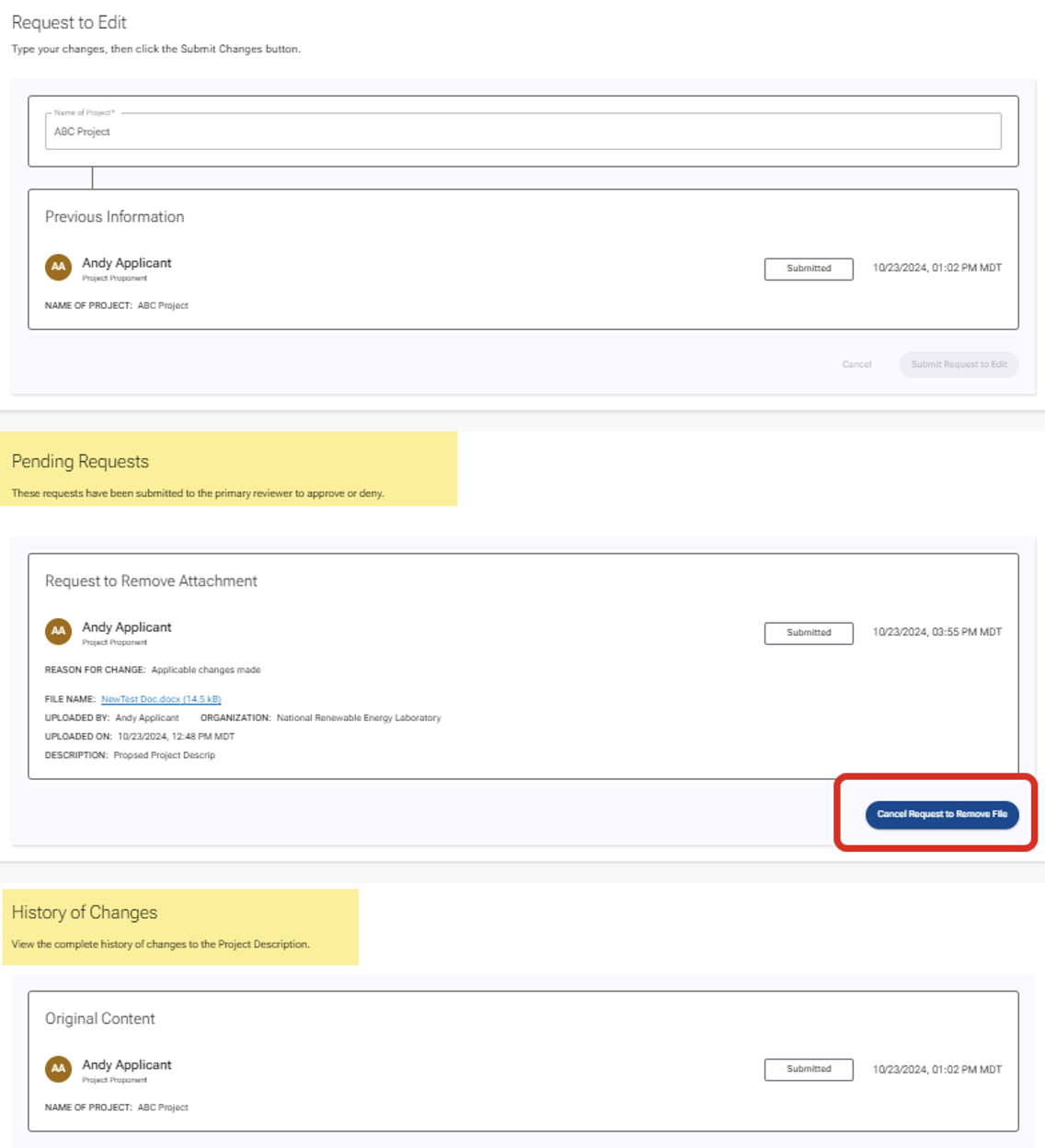
Note: The request will be shown as "Pending" until the DOE reviewer approves the change. To view all requested changes, click on the "Change Log" button located in the upper right corner of each page.
To edit project information:
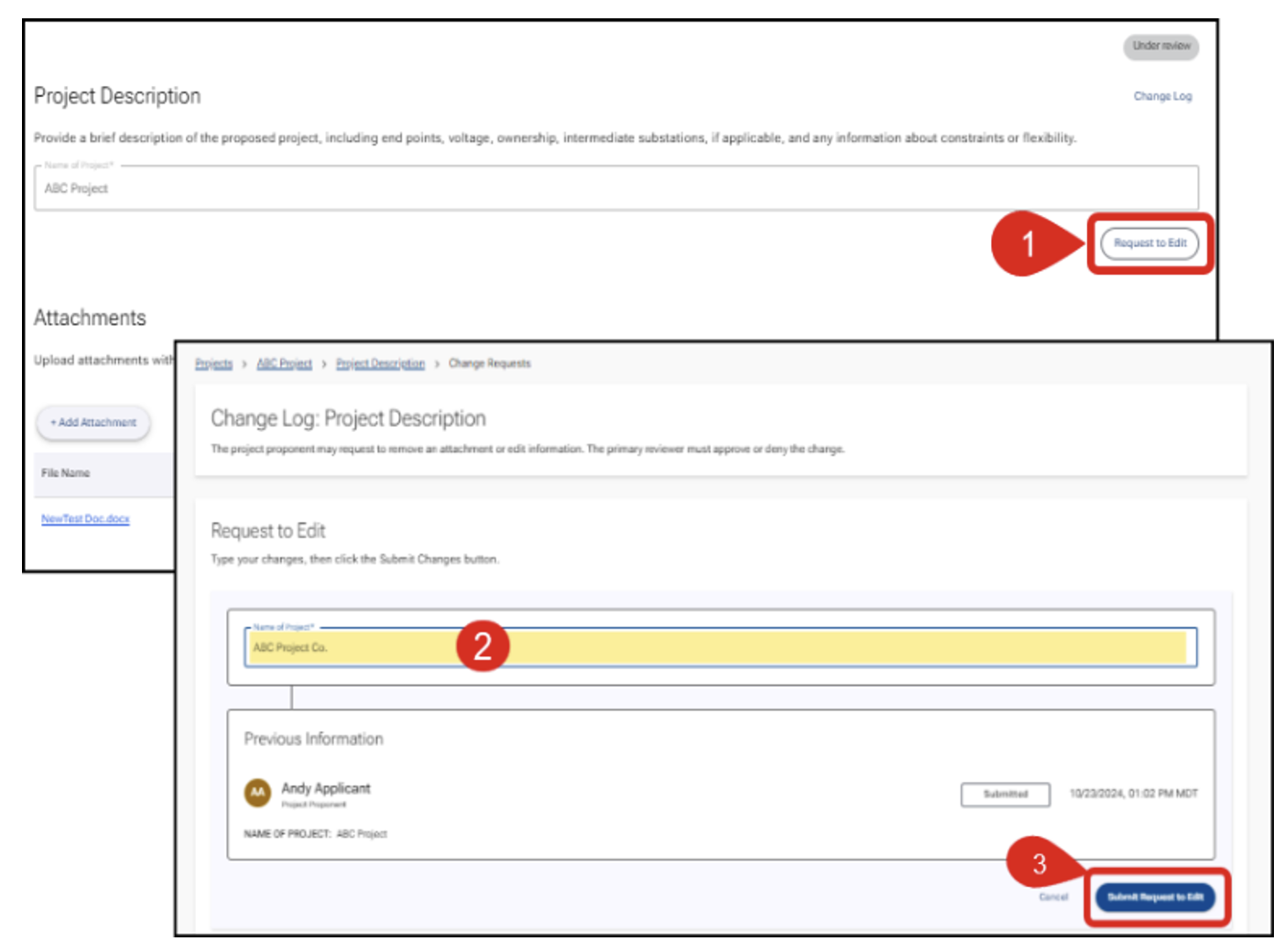
- Open the page containing the field to be modified in the portal, then click the "Request to Edit" button located near the field. This action opens the Change Log.
- Retype the information you wish to edit.
- Click the "Submit Request to Edit" button to confirm and submit.
Reviewing the Change Log
To check if your request is still pending and review previous changes—or to cancel a requested change,—click on the "Change Log" button at the upper right of each page. From the Change Log, you can view the full history of changes including who requested the change and why, as well as who approved the change.